Remember the people who come back
Keep useful viewer context so conversations don't have to start from zero.
STREAMSPARK · FOR TIKTOK LIVE & TWITCH
Remember the little things people tell you in chat. Keep saved details beside your TikTok LIVE or Twitch stream, ready for the next time they say hello.
For Windows · Current download 1.3.6
Already own it? Download here →
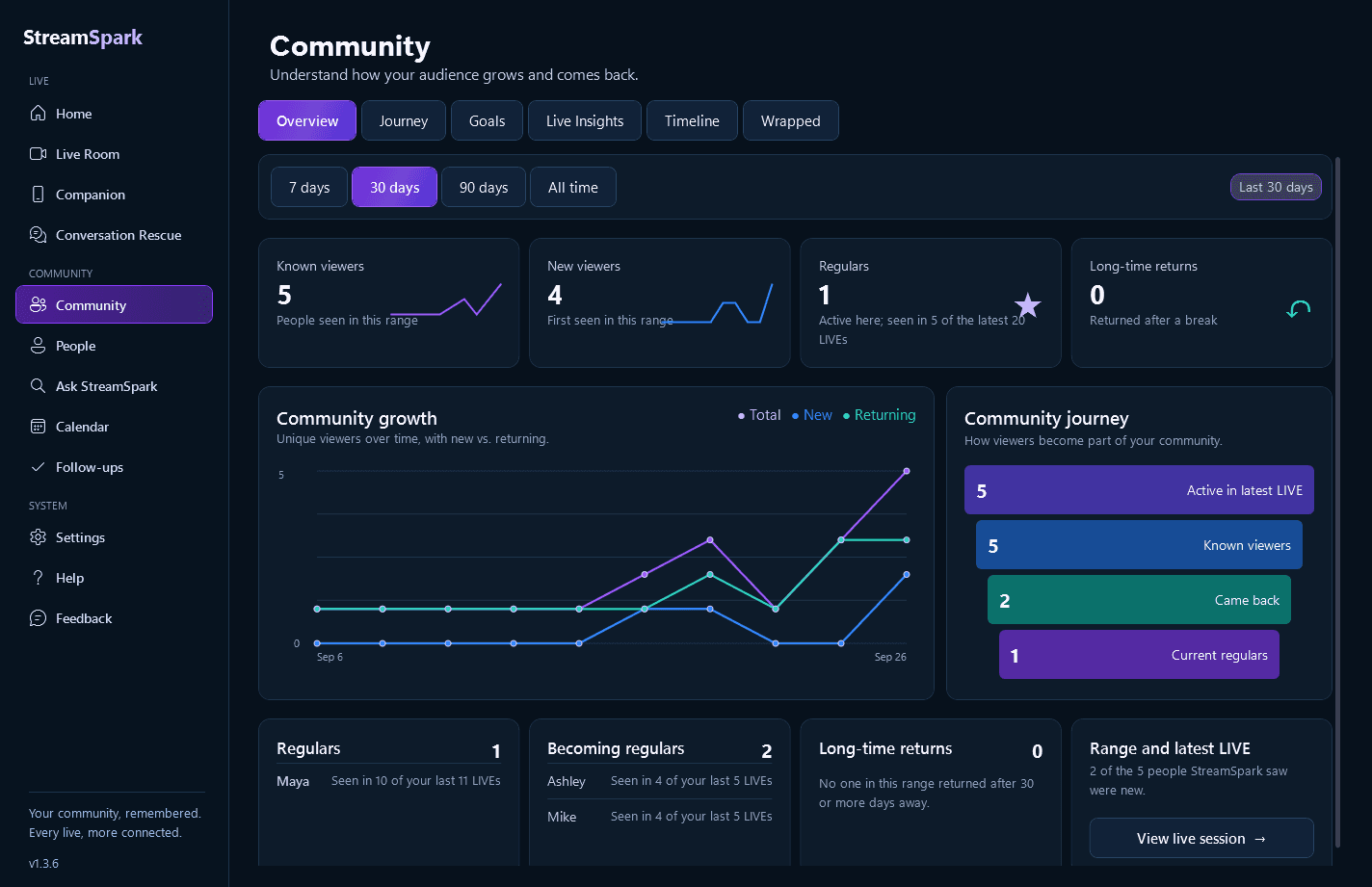
See who keeps coming back, from the LIVE activity StreamSpark has recorded.
TRY STREAMSPARK
Try the same StreamSpark screens you would use during a LIVE.
Watch the example chat, approve a memory, find it in People, and ask a question about what your community shared.
Each new comment brings that person's viewer card forward.
StreamSpark noticed this detail in @averyafterdark's comment.
@averyafterdark · Twitch
Seen in 11 LIVEs
Saved memoriesThis interactive demo uses example viewers and memories.
BUILT FOR YOUR COMMUNITY
Save the details that matter, review suggestions before anything becomes a memory, and edit or delete them whenever you want.
Ask StreamSpark helps you find saved memories and recorded LIVE history. Community, Calendar, Companion, Hands Free, Live Coach, and Conversation Rescue give you more ways to prepare and keep a conversation moving.
Keep useful viewer context so conversations don't have to start from zero.
Save useful details yourself, then edit or archive them when they change.
See memories, follow-ups, and connection readiness before you start.
ONE PERSON, MORE THAN ONE PLATFORM
Some people join you on TikTok. Others pop into Twitch. If you know two accounts belong to the same person, you can link them in People.
You make that choice. Two viewers with the same name are still treated as different people unless you link them.
Your saved memories and viewer information are stored on your computer. An optional setting, Smart Memory Understanding, can send the text you are reviewing and a little related information to an online service for help understanding it. It starts turned off. Local Only mode keeps it off.
More about saved memories →FROM DOWNLOAD TO YOUR NEXT LIVE
StreamSpark runs on your Windows PC. You can browse and buy on your phone, then install on the computer you stream from.
Download the Windows installer, open the app, and enter the Activation Key from your purchase email.
Use TikFinity or BetterTok for TikTok LIVE. If you stream on Twitch, connect your Twitch account inside StreamSpark.
Open Live Room and place the viewer card where you can glance at it while streaming.
Windows may show a warning when you install the app because the current download does not have a verified publisher signature. Read the installation notes and use the download linked from Vibey. You will need internet access to unlock the app, connect your chat and get updates.
Walk through getting started →STREAMSPARK · WINDOWS
Keep useful viewer details, community history, and LIVE tools close across TikTok and Twitch. Use it on two PCs, with optional encrypted memory sync.
Current download 1.3.6
$6.99USD / month · $59.99 / year
Start 7-day free trialAnnual is about $5.00 per month and saves $23.89 a year compared with monthly.A valid Partner code extends the free trial to 14 days.
Pay through Stripe. We email the key that unlocks your app.
Refund policy · Manage or cancel subscription · Questions?
Getting a new computer? Ask us for help moving your access. Purchase terms →
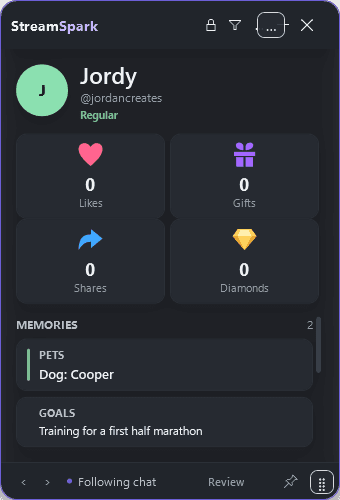
It helps you remember useful details about people in your chat. Save a detail, find it with that person in People, and glance at it in Live Room or the viewer card when they come back.
Yes. For TikTok LIVE, use TikFinity or BetterTok to connect your chat. For Twitch, connect your account inside StreamSpark. If you only stream on Twitch, you do not need TikFinity.
No. The published app can suggest memories for you to review, and you can add them yourself. You choose which details to keep. Connected chat can also be stored on your computer, separately from the memories you choose to save.
Yes. Ask StreamSpark, Community, Companion, Hands Free, Live Coach, Conversation Rescue, Calendar, Wrapped, and the updated memory workflow are part of StreamSpark 1.3.0.
HELP WHEN YOU NEED IT
Learn more before you decide, or find help after downloading.
Connect two Windows PCs once, then let encrypted sync carry your saved viewer details between them.
Take a lookWhat you need, how to connect your chat and what to check before your first LIVE with StreamSpark.
Take a lookSee how StreamSpark helps you remember useful details about the people who come back to your LIVE.
Take a lookPlain answers about StreamSpark, supported platforms, privacy, buying and getting help.
Take a look