Download
Download and install Tug of War Studio after purchase.
AVAILABLE NOW · WINDOWS APP
Choose your teams, pick the gifts that help each side, and let your chat join the battle.
These gifts are pretend, so you can try it for free. In the app, your connected TikTok gifts move the score.
Give your teams a name, choose their gifts and decide how the score adds up.
Watch the score, reset the battle and get the next round ready from the app.
Choose your colors and text size, then fit the battle around the rest of your stream.
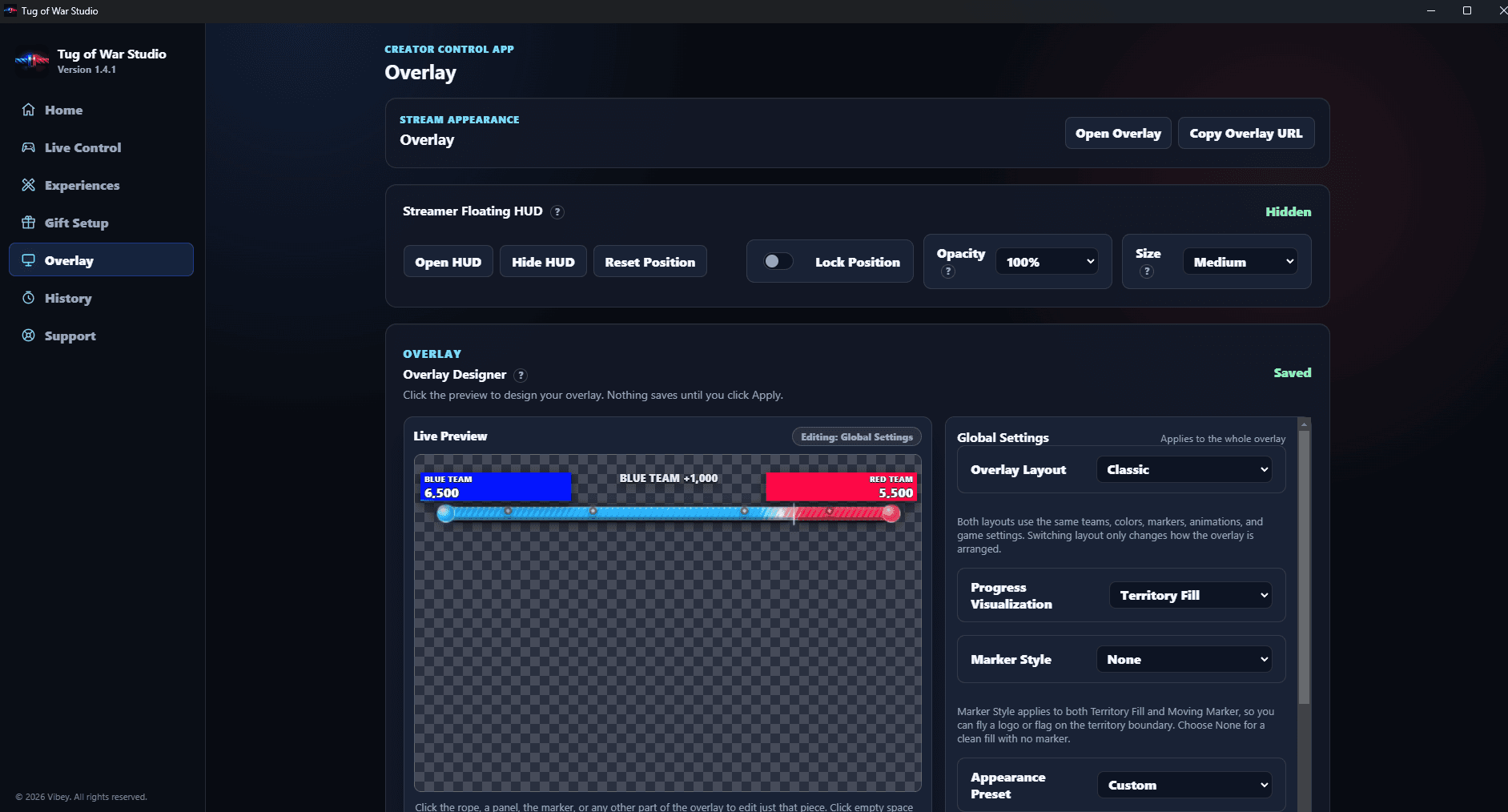
Choose your team names and colors, then decide how the score moves.
GETTING STARTED
Download and install Tug of War Studio after purchase.
Name your teams, choose their gifts and make the battle look like yours.
Put the battle display into OBS or TikTok Studio using the link from the app.
Start your stream and let your viewers battle in real time through gifts.
TUG OF WAR STUDIO
USD · Yours to keep · Pay once
For Windows. We email the key that unlocks your app.
Refund policy · Installation notes
Moving to a new computer? Ask us for help moving your access.
It turns supported TikTok gifts into a battle between two teams. You choose the gifts, control the score settings and put the battle display on your stream.
A Windows computer, Tug of War Studio open during your stream, and a supported gift connection such as TikFinity. Add the battle display to the software you stream with, such as OBS or TikTok Studio.
Yes. Change the team names, colors, background and text size. You can also choose how progress moves and fit the display around your stream.
You can try the free demo on this page first. Send a pretend gift, watch the score move and reset the battle. You need a purchase to unlock the Windows app for your own stream.
HELP WHEN YOU NEED IT
Learn more before you decide, or find help after downloading.
Get Tug of War Studio ready for TikTok LIVE, from choosing your teams to checking that gifts move the score.
Take a lookChoose team names, colors and a battle display that fits your stream with Tug of War Studio.
Take a lookAnswers about Tug of War Studio, TikTok gifts, stream setup, buying and support.
Take a look